- Navigate to lms.udutu.com
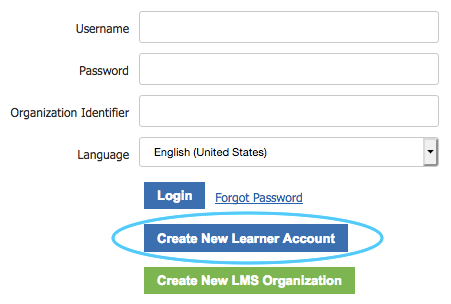
- Choose “Create Learner Account”
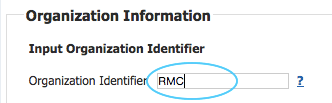
- In “Organization Identifier” enter RMC if it is not already entered for you
- Complete the Account Information. The name you choose will be used on the final Certificate. It is simplest to use your email as your username. Make a note of your User Name and Password you have chosen (you will need this later to login to the course), then select Register

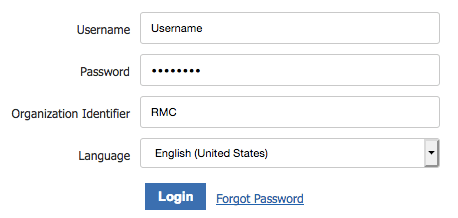
- You will then be taken to the main LMS login page again. To login as a Learner enter your User Name and Password and the Organization Identifier. This time choose “Login”
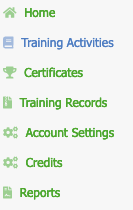
- You will then be taken to your own Home Page. Select “Training Activities” on the left menu.
- Select the Radiation Safety Refresher course by clicking on the Cost button.

- Click on “Continue” to proceed.
- You can either log in with your PayPal account, or use a debit or credit card to complete the transaction.

- Most users will pay by credit card. The credit card transaction will be processed through paypal.

Once payment is complete, Paypal may ask you to create an account. You can skip through this part if you wish. - Once complete, click Return To Merchant to get back to the training module.

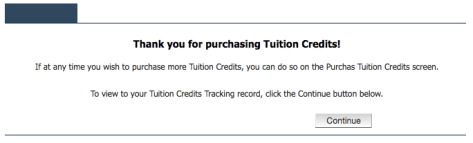
- You will then see a credit confirmation. Click Continue.
- Select My Training and Click on the Radiation Safety Refresher Course for Veterinary Medicine box.
- On the next page you will be able to launch the course using “launch activity” button.
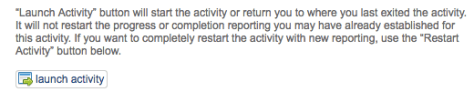
- The RESTART button should be used sparingly, as it will delete the history of any attempts you previously made and start all over again.
- You can restart the course a total of three times.
You can login at any time using the procedure in step 5.
- To complete the course you must visit every page and achieve a 60% or greater pass mark. When you have satisfactorily completed the course, you will be awarded a certificate, which can be printed out in colour from the sidebar My Certificates. You can print in portrait or landscape depending on your printer settings.

 RadiologyMatrix